




We moved MILPOST from a website builder to Grav, kept its content and added an admin panel. We then improved the service pages, navigation and calculator. Staff can now edit the website’s text and settings through the CMS.
Project website: MILPOST
What needed to change
The website already contained customs services, documents, announcements and contact details. We needed to preserve this content and its links while allowing staff to make changes through a CMS.
We moved the existing page first. The calculator and forms were improved in later releases, so their results are described separately.
Work and results
| Work | Result | Period or source |
|---|---|---|
| Moving the website and improving the calculator | Grav replaces the website builder | October 2026 |

Moving the website and improving the calculator
Grav replaces the website builder · October 2026
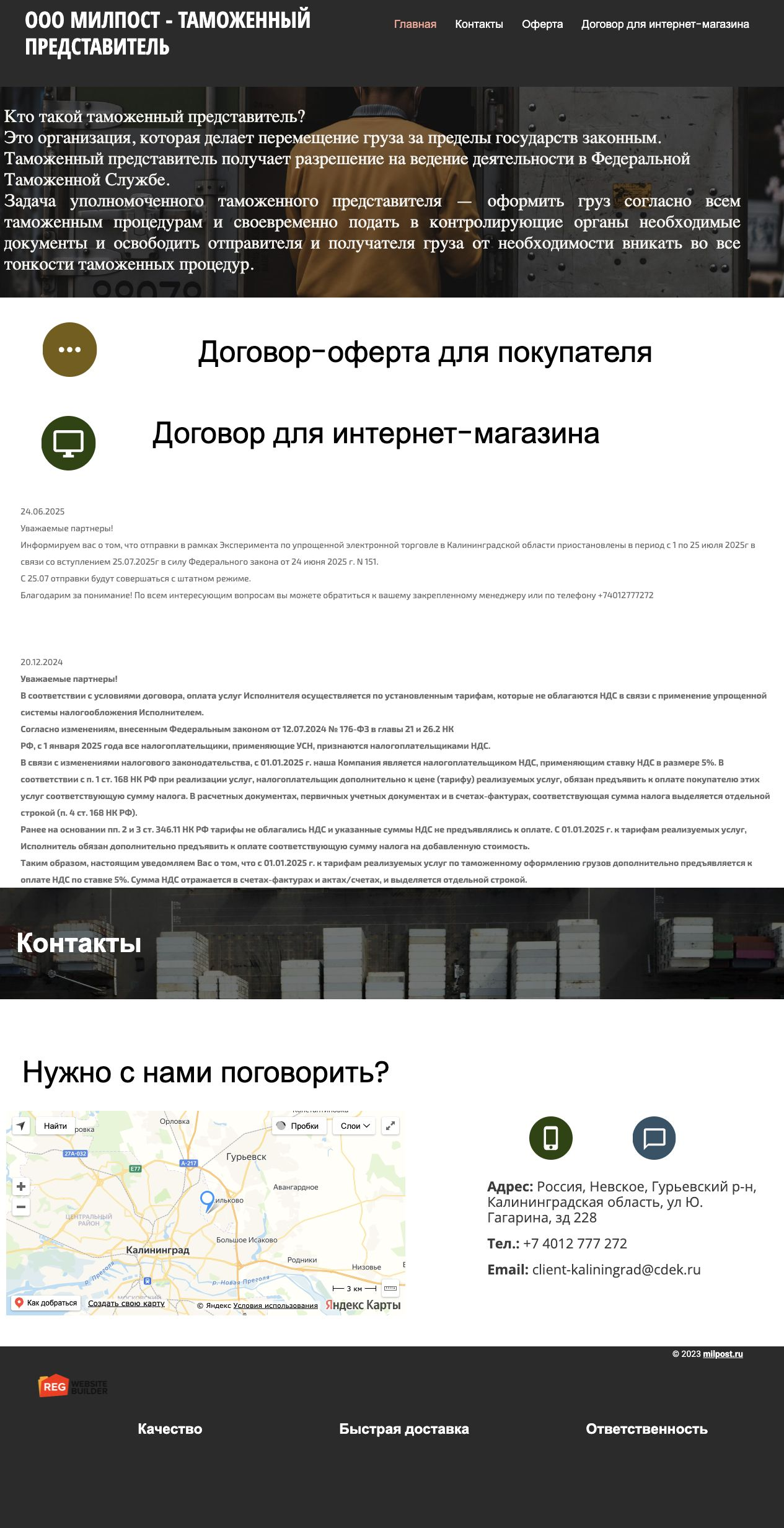
We installed Grav with an admin panel and built the website theme. We moved the header, menu, images, announcements, contacts, map and footer. We kept the offer and contract links and fixed links to page sections.
The menu, opening section, documents, announcements, contacts, map and images became editable CMS fields. These changes no longer require editing HTML.
After the move, we improved the service pages and calculator. Visitors can see an available preliminary price without providing contact details. Contact details are required to send an enquiry to a manager.
We added route search and suggestions. Changing the city clears the previous selection and price. If a city is missing from the directory, visitors can send its name to a manager; that route does not receive an automatic price.
How we checked the results
The migration report dated 8 October 2026 recorded HTTP 200 for the homepage and successful loading of styles and images. The mobile menu worked at 390 px, with no horizontal overflow. The domain change and HTTPS were checked separately.
We tested route selection, changes to the input data, the preliminary price and enquiry storage. Later interface changes were checked against the previous tariffs and settings to preserve the calculation rules.
The screenshots show public pages. Enquiry storage and calculation rules were tested separately; an image of a form cannot confirm either.

What to keep in mind
The move preserved the content and made the website manageable through a CMS. Changes in sales, traffic and conversion were not measured in this case.
The calculator uses published rules and the supplied data. A manager must review routes outside the directory and non-standard cargo. Transport terms require separate agreement.
Before similar work
Before moving a website, list the content to preserve, the fields staff need to edit and the new features required. This makes the scope and acceptance checks easier to agree.